Getting started
Statutory rate tables
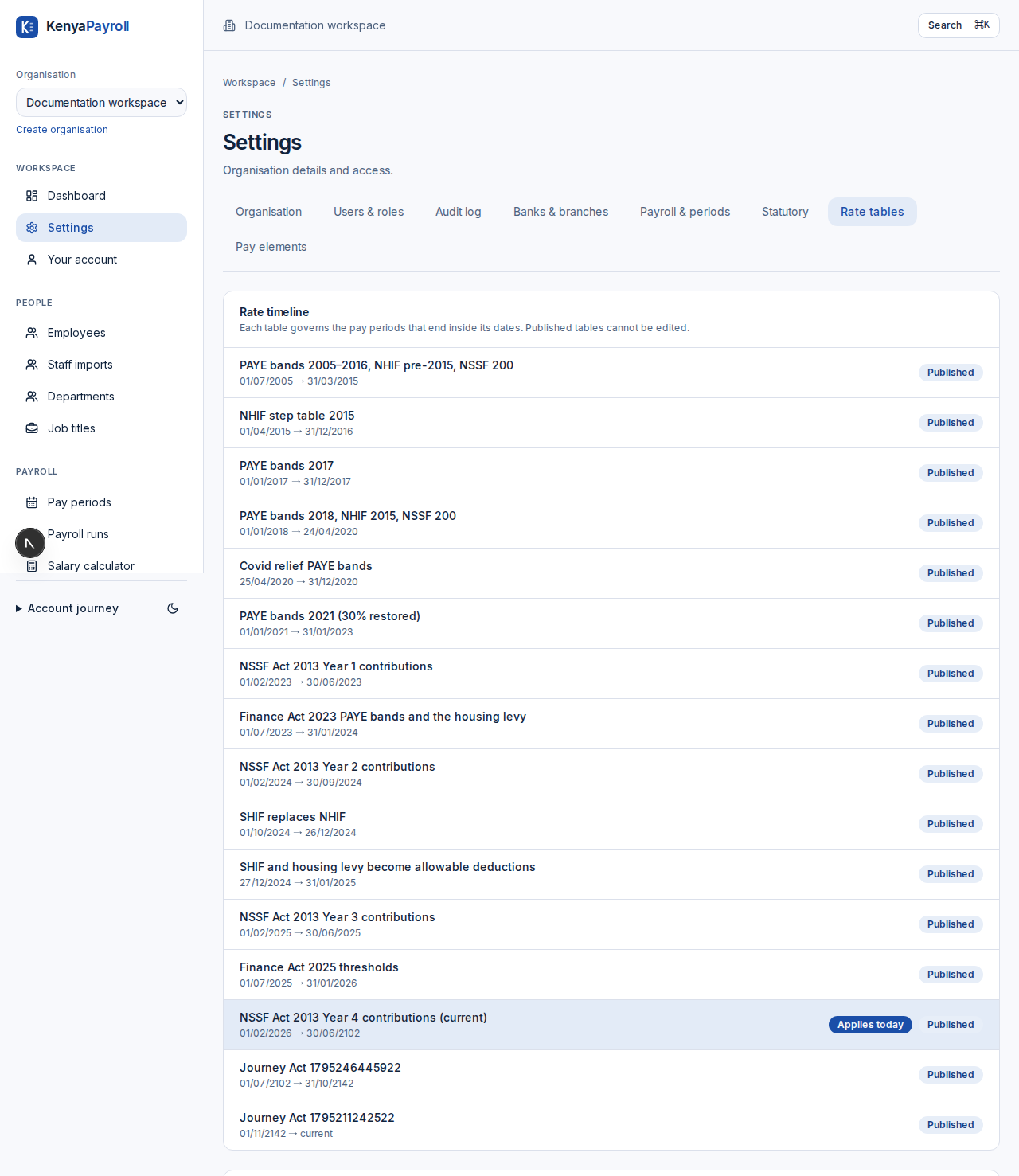
Settings → Rate tables shows the PAYE bands, reliefs, deduction limits, NSSF, SHIF or NHIF, housing levy and NITA rates behind every payroll figure, with the dates each set applied.
- The timeline lists each rate table with its effective dates. The table that applies today is marked, and each pay period is governed by the table covering its end date.
- Open a table to read every band, rate, cap and relief in it, the source that introduced it — an Act, gazette notice or circular — and a note on what changed.
- The line under the heading states what reduces taxable pay in that era, which is why an old payslip recalculates to the figure that was filed rather than today's.
- Organisations read these tables; nobody inside an organisation can change them, so the same law applies to every employer on the platform.
- Platform administrators maintain them under Platform → Statutory rates: choose New rate table from this one, set the effective date and source, then edit the draft's bands, rates and limits.
- A draft shows what changed against the table it supersedes. Review that list, then choose Review & publish and record why the rates change — a Finance Act, gazette reference or circular.
- Publishing validates the table first: bands must start at zero, be contiguous, never fall in rate, carry exactly one health scheme and have contiguous NSSF tiers. Errors are shown instead of being saved.
- Published tables are permanent and cannot be edited: the previous table closes the day before the new one starts, and a correction is always a new table. Drafts can be discarded without affecting anything published.
- Published rates apply to pay periods from their effective date onwards. Approved payroll keeps the table it was calculated with.